npx @swmansion/argent init
Run this command to install Argent.
npx @swmansion/argent init
Run this command to install Argent.
Now agents can run your iOS or Android app, see what happened, and keep going in the same session. Designed for AI agents, with a focus on speed and effective use of context.
Launches an app, taps, swipes, types into fields, and navigates using coordinates from accessibility trees. It opens deep links and runs multi-step interaction sequences in a single call to move fast without round-trips. Argent provides feedback after every interaction, so the agent always knows what's happening on screen.
Find and fix issues faster by giving your agent the tools it needs. Argent can attach the debugger, explore the view hierarchy, read console logs, evaluate expressions, and inspect the React component tree at runtime. Also, it reads network requests, and HTTP payloads at both the JavaScript fetch and native network layer.
Pinpoint and resolve performance bottlenecks by recording both React and native iOS profiles simultaneously and tracing slow React commits down to the native stack frame causing them. It detects UI hangs, render cascades, and memory leaks. Re-query the same profiling session for multiple issues without running it again.
See what developers say about Argent.
Hirvesh
@hirvesh
Argent is the single most impactful dev tool released this year that's improved my workflow. The fact that it gives Claude Code "eyes" to close the loop made me able to leave it with a problem and come back with it solved end-to-end 😎
jake harper
@notlilj
Argent has been my favorite way to agentically debug iOS apps. There's 0 setup, no commands to run, or changes to code. I just tell Claude to 'debug with Argent' and it takes it from there.
Brent Vatne
@notbrent
Argent is so good, well done team.
gollyjer
@GollyJer
SO much better than hand pasting screenshots. And that's only a small part of the Argent benefits.
Caleb McQuaid
@/in/caleb-mcquaid/
I've been using this all day to fly through responsive design changes. Claude uses the Simulator to test my web app in Safari and verify the requested changes. Quality work, Software Mansion!
Ivan Starkov
@icelabaratory
My favourite thing is developing from my phone using Argent — I ask it to create a video after changes, view it from my phone, and keep iterating ;-)
Louis Lcq
@devlcq
All in on Argent. Make it faster, better, harder, stronger.
Deb
@aledeb3_
I use Argent daily ❤️
torilaure745
@torilaure745
I've been using argent almost daily since last week. Really simplifies my workflow. I've noticed it's faster than maestro in reading screens and finding things on the screen.
Hirvesh
@hirvesh
Argent is the single most impactful dev tool released this year that's improved my workflow. The fact that it gives Claude Code "eyes" to close the loop made me able to leave it with a problem and come back with it solved end-to-end 😎
jake harper
@notlilj
Argent has been my favorite way to agentically debug iOS apps. There's 0 setup, no commands to run, or changes to code. I just tell Claude to 'debug with Argent' and it takes it from there.
Brent Vatne
@notbrent
Argent is so good, well done team.
gollyjer
@GollyJer
SO much better than hand pasting screenshots. And that's only a small part of the Argent benefits.
Caleb McQuaid
@/in/caleb-mcquaid/
I've been using this all day to fly through responsive design changes. Claude uses the Simulator to test my web app in Safari and verify the requested changes. Quality work, Software Mansion!
Ivan Starkov
@icelabaratory
My favourite thing is developing from my phone using Argent — I ask it to create a video after changes, view it from my phone, and keep iterating ;-)
Louis Lcq
@devlcq
All in on Argent. Make it faster, better, harder, stronger.
Deb
@aledeb3_
I use Argent daily ❤️
torilaure745
@torilaure745
I've been using argent almost daily since last week. Really simplifies my workflow. I've noticed it's faster than maestro in reading screens and finding things on the screen.
Hirvesh
@hirvesh
Argent is the single most impactful dev tool released this year that's improved my workflow. The fact that it gives Claude Code "eyes" to close the loop made me able to leave it with a problem and come back with it solved end-to-end 😎
Brent Vatne
@notbrent
Argent is so good, well done team.
Caleb McQuaid
@/in/caleb-mcquaid/
I've been using this all day to fly through responsive design changes. Claude uses the Simulator to test my web app in Safari and verify the requested changes. Quality work, Software Mansion!
Louis Lcq
@devlcq
All in on Argent. Make it faster, better, harder, stronger.
torilaure745
@torilaure745
I've been using argent almost daily since last week. Really simplifies my workflow. I've noticed it's faster than maestro in reading screens and finding things on the screen.
Hirvesh
@hirvesh
Argent is the single most impactful dev tool released this year that's improved my workflow. The fact that it gives Claude Code "eyes" to close the loop made me able to leave it with a problem and come back with it solved end-to-end 😎
Brent Vatne
@notbrent
Argent is so good, well done team.
Caleb McQuaid
@/in/caleb-mcquaid/
I've been using this all day to fly through responsive design changes. Claude uses the Simulator to test my web app in Safari and verify the requested changes. Quality work, Software Mansion!
Louis Lcq
@devlcq
All in on Argent. Make it faster, better, harder, stronger.
torilaure745
@torilaure745
I've been using argent almost daily since last week. Really simplifies my workflow. I've noticed it's faster than maestro in reading screens and finding things on the screen.
jake harper
@notlilj
Argent has been my favorite way to agentically debug iOS apps. There's 0 setup, no commands to run, or changes to code. I just tell Claude to 'debug with Argent' and it takes it from there.
gollyjer
@GollyJer
SO much better than hand pasting screenshots. And that's only a small part of the Argent benefits.
Ivan Starkov
@icelabaratory
My favourite thing is developing from my phone using Argent — I ask it to create a video after changes, view it from my phone, and keep iterating ;-)
Deb
@aledeb3_
I use Argent daily ❤️
jake harper
@notlilj
Argent has been my favorite way to agentically debug iOS apps. There's 0 setup, no commands to run, or changes to code. I just tell Claude to 'debug with Argent' and it takes it from there.
gollyjer
@GollyJer
SO much better than hand pasting screenshots. And that's only a small part of the Argent benefits.
Ivan Starkov
@icelabaratory
My favourite thing is developing from my phone using Argent — I ask it to create a video after changes, view it from my phone, and keep iterating ;-)
Deb
@aledeb3_
I use Argent daily ❤️
Deep dives and guides from the team building Argent.
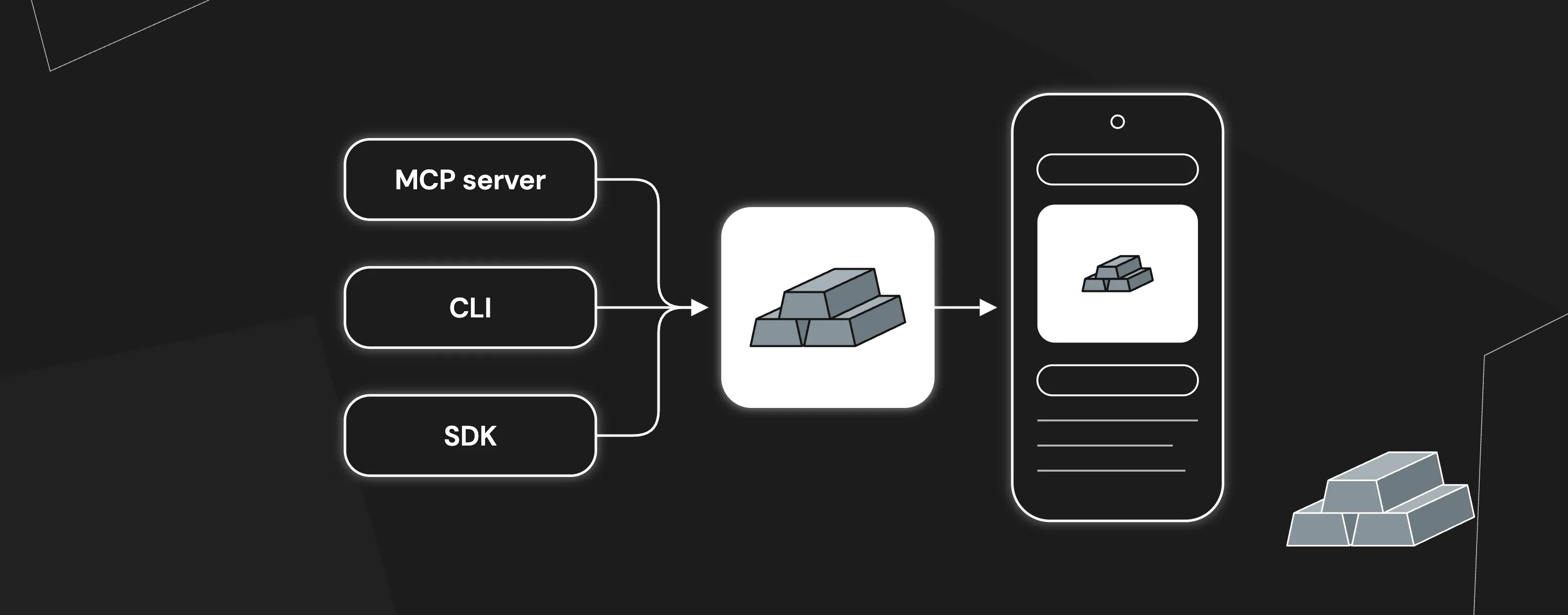
Argent ships an MCP server, a CLI and a Node.js SDK on top of one shared tool-server. See what each one does, how to set it up, and when to pick which.
· Błażej Kustra · 10 min read
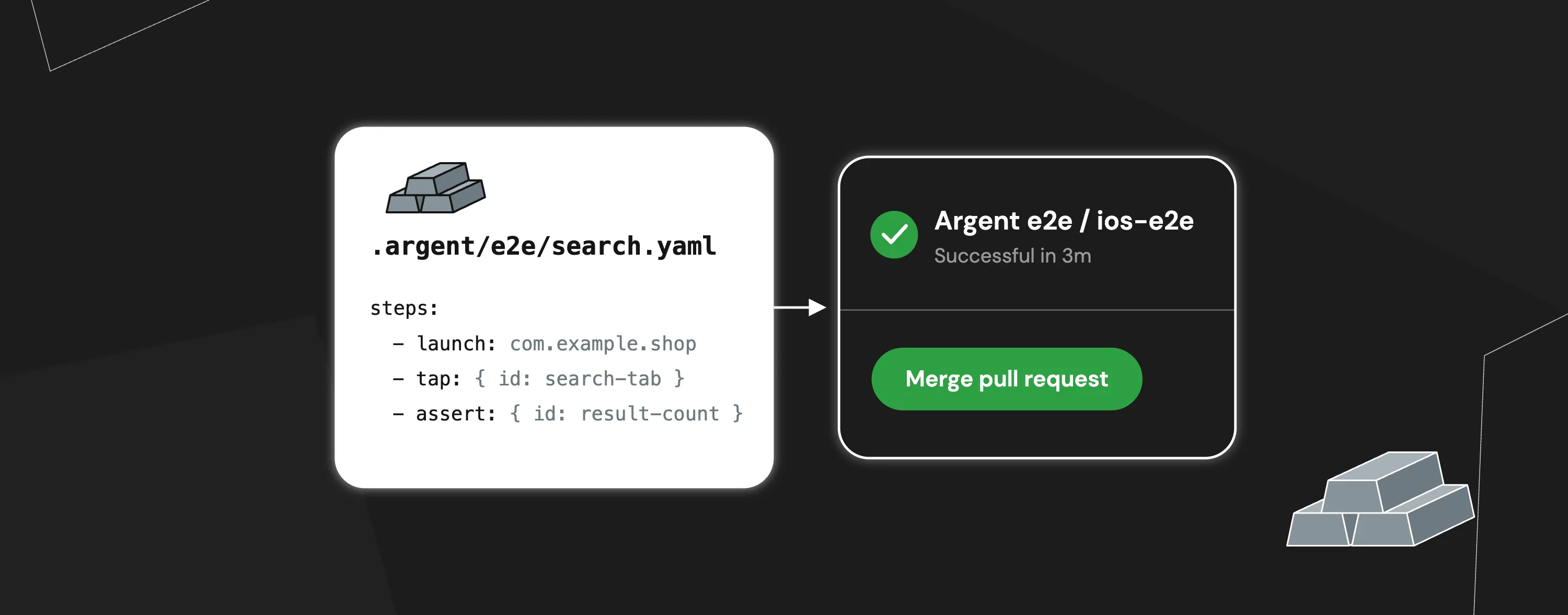
Add Argent e2e tests to an existing iOS or Android app: let your agent record a test, replay it with one command, and run it in GitHub Actions on every PR.
· Błażej Kustra · 10 min read

Argent Cloud is a cloud simulator infrastructure built for AI agents, providing the macOS access needed to run iOS apps in the iOS Simulator and verify that generated code works.
· Wojciech Kaźmierczak · 7 min read