AI
What Is Agentic Mobile Testing?
 Katarzyna Smoleń 7 min read

Imagine asking an AI agent to test the sign-up process. It opens the app, fills in the registration form, and taps “Continue,” but when an error appears, it goes beyond reporting a failed test by checking the network logs and discovering that the app accepted a password the API rejected.
This is the idea behind agentic mobile testing: instead of following a predefined script, the agent works towards a goal, exploring the app, deciding what to do next, interacting with a simulator or device, and checking the results along the way. Let’s look at how this process works and how to make it part of your testing workflow.
What is agentic mobile testing?
With agentic mobile testing, you basically give the AI agent an outcome to verify rather than a list of interactions to follow. For example, you might ask it to check whether a user can create an account or complete a purchase, leaving it to figure out the necessary steps, run them in an iOS Simulator, Android emulator, or physical device, and report the results with supporting evidence.
This is different from traditional mobile automation, where you have to define exactly how a test should run, such as tapping an element with the ID login_button, waiting for the next screen, and checking that a label displays “Welcome.” With an agentic approach, you describe what needs to work and let the agent decide how to verify it.
How is agentic testing different from scripted automation and other AI mobile testing tools?
In a nutshell: traditional automation follows predefined steps, while AI-assisted tools help write and maintain test scripts. Agentic testing takes a different approach, letting the AI explore the app and decide what to do next based on what it sees. AI mobile testing is the umbrella term for all these approaches.
| Scripted automation | AI-assisted testing | Agentic testing | |
|---|---|---|---|
| Input | A script with exact steps and selectors | A script, with AI suggestions or generated code | A goal described in plain language |
| Who chooses the next step? | The script | The script, written more quickly with AI assistance | The agent, based on the current screen |
| What happens when the UI changes? | The test fails until someone updates it | A tool may repair the selector | The agent looks for another way to reach the goal |
| Output | Pass or fail | Pass or fail, sometimes with a suggested fix | A verdict with steps, screenshots, logs, and a likely cause |
| Best suited to | Fast, repeatable regression runs | Writing and maintaining test suites with less effort | Checking new features, reproducing bugs, and exploring an app |
What is the agent loop in agentic testing?
The agent loop is the process an AI follows during a test: it observes the app, decides what to do next, performs an action, and checks the result. It keeps repeating these steps until it reaches its goal, finds a bug, or gets stuck.
Anthropic describes agents as LLMs that use tools and respond to feedback from their environment (1). The same idea appears in ReAct, a paper on how language models combine reasoning and actions (2).
In mobile testing, the agent starts by looking at the app through its accessibility tree, screenshots, or logs, then chooses what to do next, whether that’s tapping a button, entering text, or changing network conditions. After each action, it checks whether the app responded as expected and uses that information to decide what to do next.
This last step matters because, without verification, the agent is just clicking around and guessing what happened, not checking the actual state of the app.
In Argent, our open-source toolkit, much of this process happens automatically: after every tap, swipe, text entry, or app launch, the MCP server waits for the screen to settle and returns the accessibility tree, so each turn of the loop usually takes just one tool call.
How does agentic testing fit into CI?
Say the agent has just explored a checkout flow successfully. You probably don’t want a model improvising its way through that same flow on every pull request. It costs time and tokens, and separate runs may take different paths. A better approach is to have the agent explore and record the flow once, then replay the saved test deterministically in CI.
Flaky tests are already costly, even without AI in the picture. Google reported that almost 16% of its tests showed some degree of flakiness, and that around 84% of observed pass-to-fail transitions involved a flaky test (3). A CI gate is much more useful when every run follows the same path.
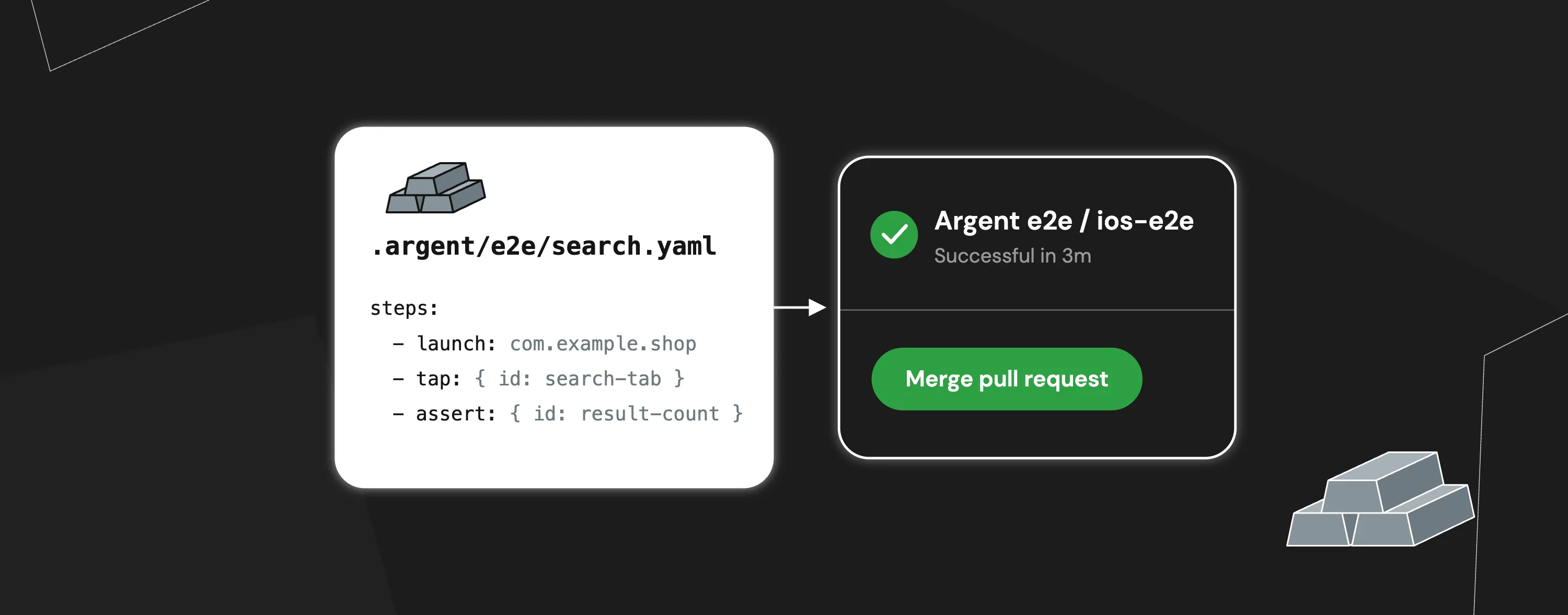
Argent E2E is designed around this distinction. You describe the flow you want to test, and the agent runs through it on a simulator or emulator, saving each step only after confirming that the expected result appears on screen. Once the recording is complete, Argent replays the test to make sure it still passes. Tests are saved as YAML files in .argent/e2e/, with elements matched by ID or label whenever possible and coordinate-based taps used only as a last resort, as Argent recommends.
You can replay a test without an agent or model:
argent e2e run <folder> --recursive --platform iosIf a test fails, the output identifies the failing step, saves a screenshot from the device, and provides a command for rerunning just that test. The agent that recorded the flow can then help debug the app, bringing the agentic part back in when it’s actually useful.
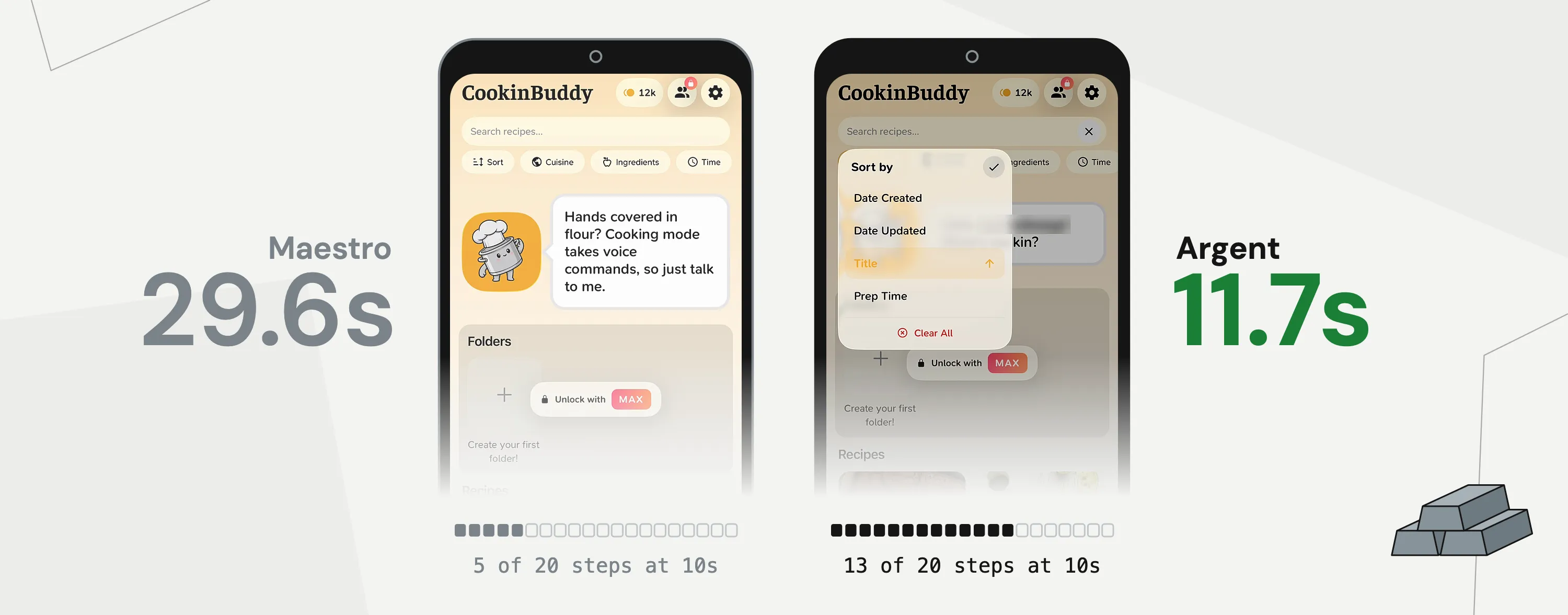
The time spent on each interaction matters when a test contains dozens of steps. In our benchmark against Maestro on a recipe app, using the same simulator, build, and network, the median tap took 0.40 seconds in Argent compared with 1.59 seconds in Maestro. The 53 tests shared by both tools finished in 15.5 minutes instead of 30.4 (excluding runner startup). Read our Argent E2E tutorial which shows how to record a test and run it on every pull request using GitHub Actions.
Try Argent and Argent Cloud
Argent is our free toolkit for using AI agents to control, debug, and profile iOS and Android apps. It supports the full testing loop: an agent can tap, swipe, and type using coordinates from the accessibility tree; attach a debugger; inspect the React component tree; read console logs and network requests at both the JavaScript and native levels; and record React and native iOS profiles at the same time. The getting started guide covers the setup and the available tools in more detail.
To get started, simply run this command:
npx @swmansion/argent@latest initMeanwhile, Argent Cloud gives AI agents access to isolated iOS simulators running on dedicated Apple hardware, without the need to build and maintain your own Mac infrastructure. This means agents running on Linux, in cloud environments, or in CI pipelines can launch apps, interact with them, and verify that they work on iOS. Each Runner supports up to six parallel simulators, with unlimited simulator time and flat monthly pricing starting at $299, so you don’t have to worry about hourly charges as your testing needs grow.
Sources:
(1) Anthropic, “Building effective agents,” December 19, 2024.
(2) S. Yao et al., “ReAct: Synergizing Reasoning and Acting in Language Models,” arXiv:2210.03629, 2022.
(3) J. Micco, “Flaky Tests at Google and How We Mitigate Them,” Google Testing Blog, May 27, 2016.