Created by

Mobile E2E tests, recorded by your agent

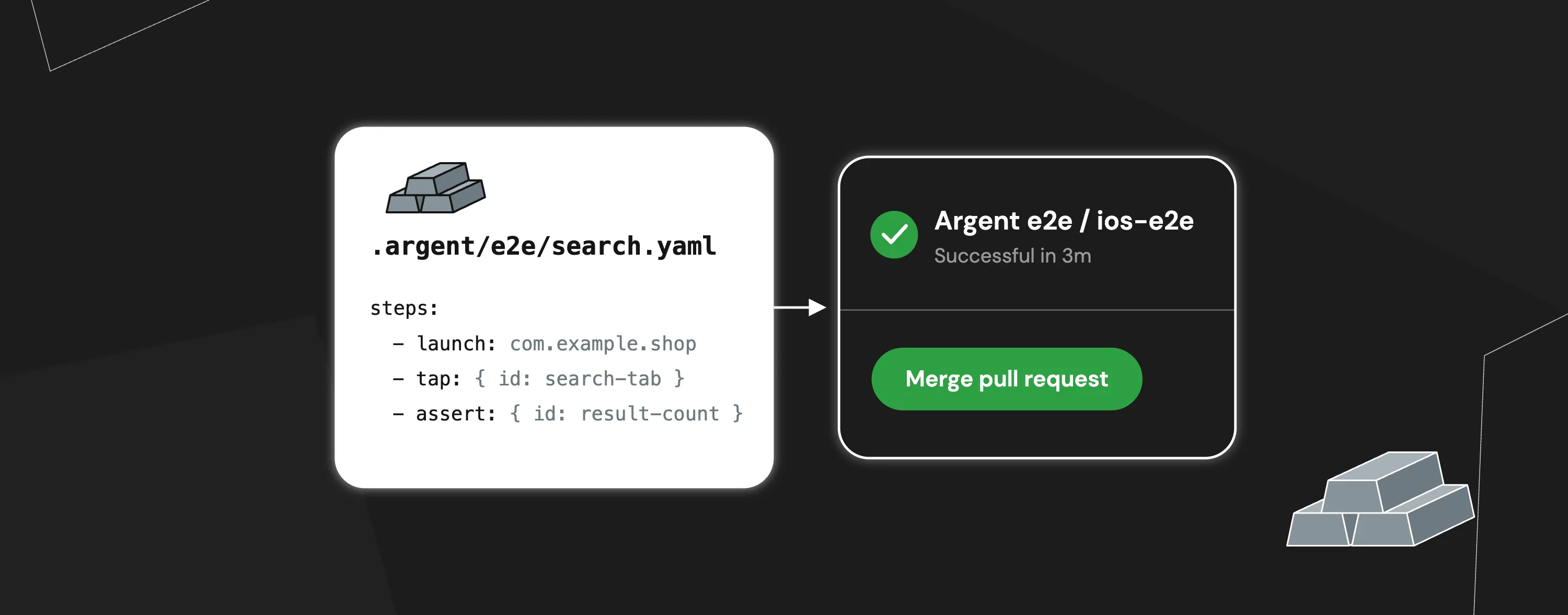
Your agent goes through your app once, checking each step along the way. Argent turns that journey into a simple YAML test that automatically runs on every pull request.

  1. Agent recordssearch.yaml
  2. Pull requestopened
  3. Argent E2E / ios-e2eIn progress…
  4. Mergeready

Keep the path your agent already found

Every time an agent checks a feature, it figures out the way through your app: which screen to open, what to tap, and what should show up next. Usually, all of that is gone when the session ends.

Argent E2E keeps it as a test, so next week's branch gets the same check without anyone writing it again.

Install Argent

One command installs Argent, its MCP server and the skills your agent needs to record E2E tests.

npx @swmansion/argent init

Record it once, run it on every PR

Your agent records the test on a simulator, you review it as a short YAML file, and CI runs it on every pull request.

Record

Your agent writes the test as it goes

You describe the flow, and your agent performs it on a simulator or emulator one step at a time. A step is saved only after the agent sees the expected result on screen.

At the end, the whole test is replayed once to confirm it passes. Elements are found by their ID or label, not their position on screen, so layout changes won't break the test. If an element has neither, your agent can add an ID to your code for you. Tapping by screen coordinates is only the last resort, and Argent warns you when it happens.

Review

A short file you can read in a PR

Each test is saved as a YAML file in .argent/e2e/, so it's easy to review and to fix by editing a single line. It isn't tied to a specific device and runs on any simulator or emulator.

Besides taps, a test can wait for a screen, check text, compare screenshots, dismiss pop-ups like cookie banners when they appear, reuse shared steps such as logging in, and run a script to seed test data.

Replay

Runs in CI without an agent

argent e2e run replays the saved steps directly, with no agent or AI model involved. If a step fails, your CI job fails too, and you get a screenshot of the device at that moment plus a command that re-runs only the failing test.

Roughly twice as fast as Maestro

We moved the Maestro suite of a recipe app to Argent E2E. An agent did the whole migration overnight and opened one pull request by morning. On the same simulator, build and network, the 53 tests both suites share ran 1.95x faster.

  • 0.40smedian tap, down from 1.59s on Maestro
  • 15.5 minfor the 53 shared tests, down from 30.4 min
  • 23 of 53tests ran at least twice as fast

Works with the stack you already have

Argent E2E talks to the app on the device, so it doesn't matter which framework drew the screen.

Frameworks

  • Native iOSUIKit, SwiftUI
  • Native AndroidViews, Jetpack Compose
  • React Native
  • Expo
  • Flutter
  • Kotlin Multiplatform

Devices

  • iOS simulators
  • Physical iPhones
  • Android emulators and devices
  • Chromium and Electron apps
  • Fire TV (Vega)
  • Mac apps
  • Argent Cloud simulators

From install to CI in three steps

  1. Install Argent

    One command sets everything up: Argent itself, its MCP server and the skills your agent needs to write E2E tests. It works with Claude Code, Cursor, Codex and other coding agents.

    npx @swmansion/argent@latest init

  2. Ask for a test

    Tell your agent what to check in plain words, or paste a ticket and let it turn the acceptance criteria into a regression test. You need an agent to record a test, but not to run it.

    Record the path from the start screen to the checkout summary as an E2E test named checkout.

  3. Add it to CI

    In our GitHub Actions example, building the app, booting a simulator and running the suite takes about five minutes on a hosted macOS runner, and most of that is the simulator starting up. Android runs on a Linux runner with KVM. If you'd rather skip macOS runners, --platform ios-remote runs your iOS tests on Argent Cloud.

    argent e2e run .argent/e2e --recursive --platform ios

Catch broken flows before your users do

Argent E2E checks your app the way people use it, so a broken login or checkout fails in the pull request, not in production. With Argent, your agent records them for you, so they finally get written.

Get started

npx @swmansion/argent init

FAQ

Only to record them. Recording needs a coding agent like Claude Code, Cursor or Codex. Running a test is a single argent e2e run command, so it fits into any CI job or script.

Of course. They're plain YAML files, and the E2E YAML reference in the docs lists every step and option.

Both keep tests in YAML. The differences are speed and who looks after the tests. Argent taps right away and only waits for what the next step needs, and the same agent that recorded a test can debug the app when it breaks. If your Maestro suite works and your team is happy with it, keep it: Argent Cloud runs Maestro suites too.

Yes. Our migration write-up includes the prompt we used. The agent ports your flows, runs each test until it passes twice in a row and opens one pull request listing what failed, any app bugs it found and every tap that still relies on coordinates.

A run uses one device, and the tests in a folder run one after another, so split big suites across CI jobs. Tests also keep the app's data between runs, so start each one with a launch step or a small script that resets what you need.

Since Argent 0.30.0 they're called E2E tests. Your old .argent/flows/ folder and the argent flow command still work, and new recordings land in .argent/e2e/.

Nothing. Argent E2E is part of @swmansion/argent on npm. If you'd like to run iOS tests without your own Macs, Argent Cloud is a paid add-on starting at $299 a month.